
This is in continuation of My last blog about Meta Commands in PostgreSQL. In last blog I have explained what a Meta command is all about. In next few blogs we will explore few of Meta commands. Lets start exploring databases.
How to List Databases in psql Using \l
The command we will explore here is:
1. \l
2. \c
The psql list databases command (\l) is one of the first meta-commands every PostgreSQL DBA uses after connecting — it gives you a quick inventory of every database in the cluster.
Once you connected to a database using psql, you will land up on a terminal

Logged in to database using port 5433You can use \l to list all the databases available in your cluster.
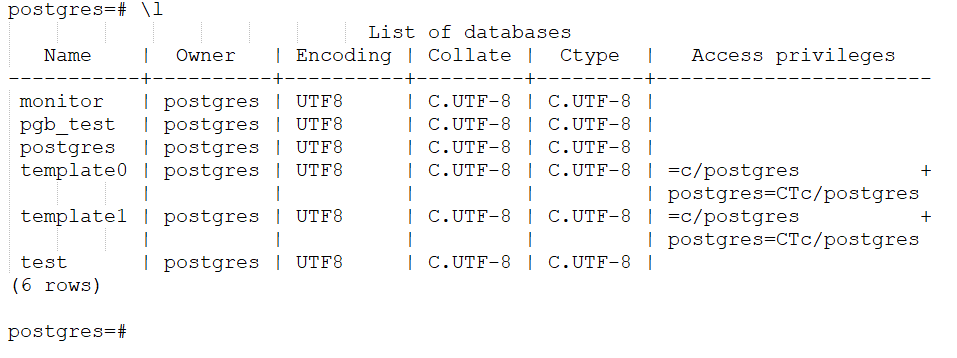
List of databases and its detailsWith this list we can easily figure out that there are 3 databases which is created by me i.e. monitor, pgb_test, and test. Rest of the databases are shipped by default by PostgreSQL. We can see here that \l not only list out the databases of our cluster but it also list a few details about them like character set encoding and collates, their owners & access privileges.
We can use \c to connect to any database. We will connect to monitor database here using \c command.

Last few blogs on Commands are:
4 thoughts on “PostgreSQL Meta-Command using psql: Command Information -II”