
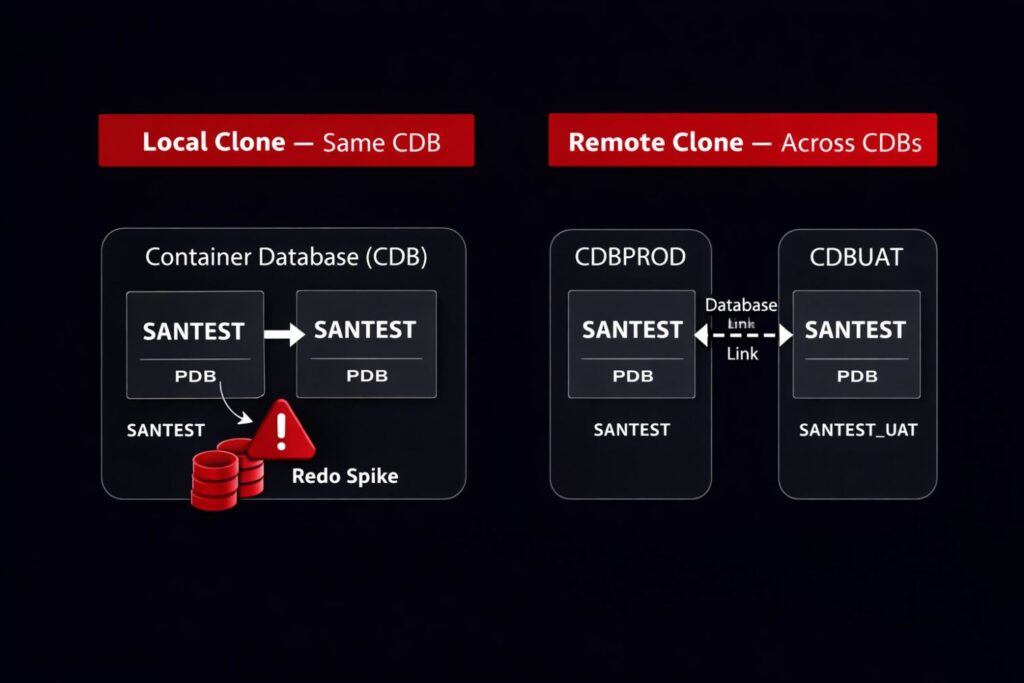
A request came in on a Thursday afternoon — the UAT team needed a fresh copy of the production PDB by Friday morning for regression testing. We had done local PDB clones before. The command is short, the documentation looks clean, and on a quiet system the operation finishes in minutes.
What we had not done was clone a PDB under active write load.
The clone completed. The target PDB opened. Then we spent the next hour explaining why redo generation on the source had spiked during the clone window and why three batch transactions that should have committed in two minutes had taken closer to ten. Nobody had warned us that a local PDB clone places the source in hot backup mode internally — and that under write-heavy workloads, that has consequences.
This post covers local PDB cloning and remote PDB cloning on Oracle Database 19c — what the commands look like, what Oracle is actually doing underneath, and the specific gotchas that only surface in production.
Validated on: Oracle Database 19c Enterprise Edition — Production
Before We Clone — Check the Source PDB State
Before any clone operation, we confirm the source PDB is open, check its open mode, and verify there are no blocking conditions:
COL name      FORMAT A20
COL open_mode FORMAT A15

SELECT con_id,
       name,
       open_mode,
       restricted
FROM   v$pdbs
ORDER  BY con_id;
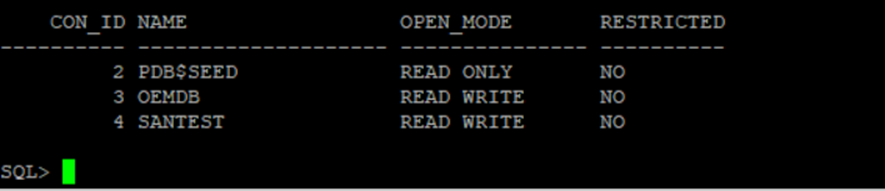
We also check for any active transactions on the source PDB that could complicate the clone window. A clone does not wait for active transactions to commit — but long-running transactions extend the redo that Oracle must carry during the operation:
SELECT s.con_id,
       s.sid,
       s.serial#,
       s.username,
       s.status,
       t.used_ublk,
       t.start_time
FROM   v$session     s
JOIN   v$transaction t
    ON t.ses_addr = s.saddr
WHERE  s.con_id = (
         SELECT con_id
         FROM   v$pdbs
         WHERE  name = 'SANTEST'
       )
ORDER  BY t.used_ublk DESC;
Any session with a high used_ublk count is holding significant undo. We note these before cloning — they will extend the source PDB’s hot backup mode duration.
Local Clone — Same CDB
A local clone creates a new PDB within the same CDB using the source PDB as the template. The source PDB stays open and accessible throughout — but Oracle places it in an internal hot backup state for the duration of the file copy.
The Clone Command
-- Connect as SYSDBA at CDB$ROOT
CREATE PLUGGABLE DATABASE santest_clone
FROM   santest
FILE_NAME_CONVERT = (
    '+DATA',
    '+DATA'
);
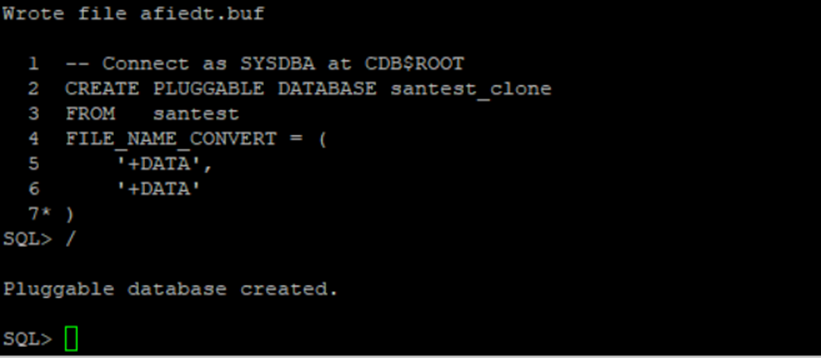
FILE_NAME_CONVERT maps source ASM file paths to target ASM paths within the same or a different disk group. If the disk group names or directory paths are not specified correctly, the clone will fail or place files in an unexpected ASM location. We verify the source datafile paths before running the clone:
SELECT file#,
       name,
       con_id
FROM   v$datafile
WHERE  con_id = (
         SELECT con_id
         FROM   v$pdbs
         WHERE  name = 'SANTEST'
       )
ORDER  BY file#;

Open the Cloned PDB
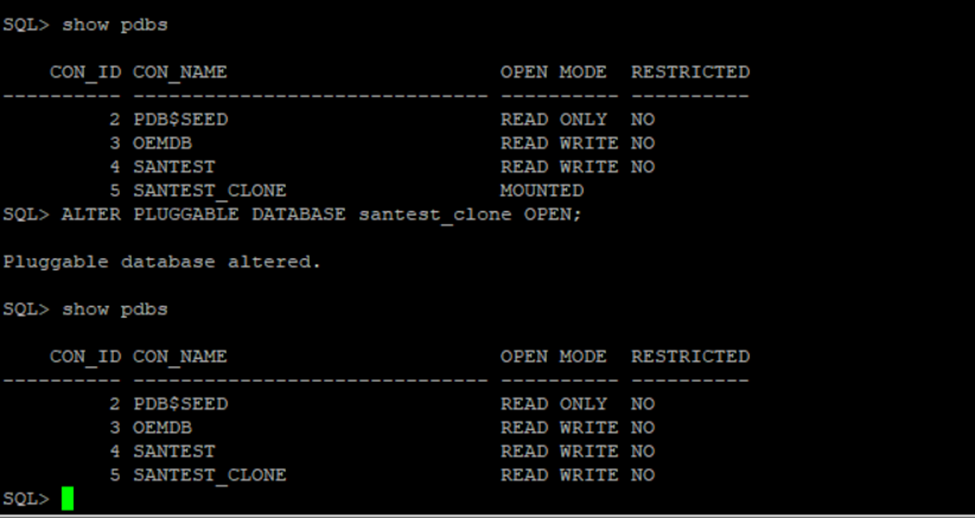
After the CREATE PLUGGABLE DATABASE completes, the clone is in mounted state. We open it and save the open mode so it persists across CDB restarts:
ALTER PLUGGABLE DATABASE santest_clone OPEN;
ALTER PLUGGABLE DATABASE santest_clone SAVE STATE;

Verify both PDBs are open:
SELECT con_id,
       name,
       open_mode,
       restricted
FROM   v$pdbs
WHERE  name IN ('SANTEST', 'SANTEST_CLONE')
ORDER  BY con_id;

The Gotcha — Redo Spike on the Source
This is what nobody documents clearly. During the local clone, Oracle internally puts the source PDB datafiles into backup mode — the same mechanism as ALTER DATABASE BEGIN BACKUP. While in this state, Oracle writes full block images to redo for every modified block rather than just the change vectors. On a write-heavy source PDB, this can double or triple redo generation for the duration of the clone.
We check redo generation rate before and during the clone window using:
SELECT name,
       value
FROM   v$sysstat
WHERE  name IN (
    'redo size',
    'redo writes',
    'redo blocks written'
)
ORDER  BY name;

Run this before the clone and again during — if redo size per second has jumped significantly, the source is under the hot backup mode effect. On a quiet system this is invisible. On a busy OLTP system during peak hours, it is a real performance event.
The production lesson: schedule local PDB clones during low-write windows — not just low-read windows. Batch reporting queries do not affect the clone. Heavy INSERT/UPDATE workloads do.
Remote Clone — Across CDBs
A remote clone copies a PDB from one CDB to another over a database link. The source PDB stays open in read/write mode throughout. This is the pattern we use for cloning production PDBs into a separate UAT or pre-production CDB without touching the production CDB’s storage layout.
Prerequisites — Database Link from Target to Source
The database link must be created on the target CDB pointing to the source CDB. The link user needs CREATE SESSION and SYSOPER or the specific clone privilege on the source:
CREATE USER c##clone_user IDENTIFIED BY <yourownpassword> CONTAINER=ALL;

GRANT CREATE SESSION TO c##clone_user CONTAINER=ALL;
GRANT CREATE PLUGGABLE DATABASE TO c##clone_user CONTAINER=ALL;
GRANT SELECT_CATALOG_ROLE TO c##clone_user CONTAINER=ALL;

-- On the TARGET CDB, connect as SYSDBA at CDB$ROOT
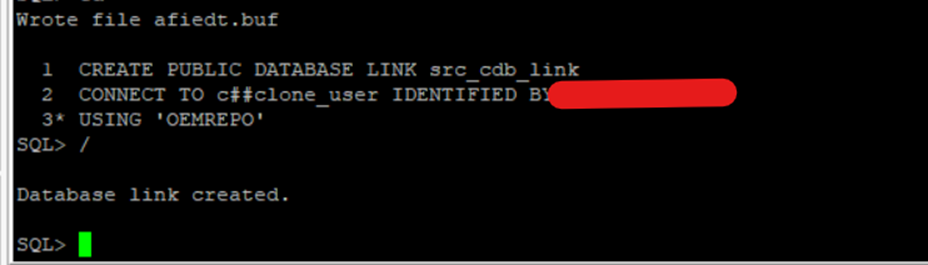
CREATE PUBLIC DATABASE LINK src_cdb_link
CONNECT TO c##clone_user IDENTIFIED BY <yourownpassword>
USING 'OEMREPO';
[Output image here]
Test the link before attempting the clone:
SELECT name,
       db_unique_name,
       open_mode
FROM   v$database@src_cdb_link;
The Clone Command
-- On the TARGET CDB, connect as SYSDBA at CDB$ROOT
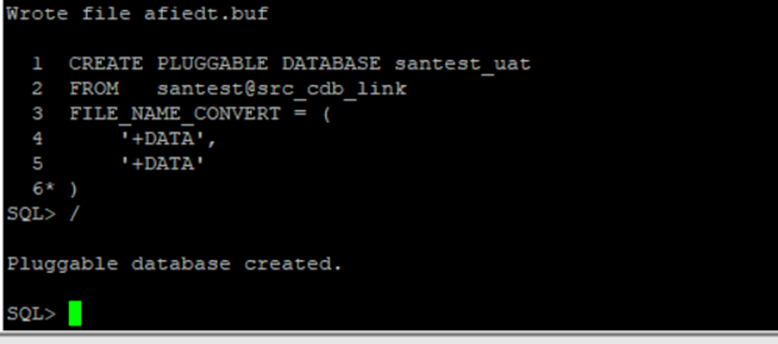
CREATE PLUGGABLE DATABASE santest_uat
FROM   santest@src_cdb_link
FILE_NAME_CONVERT = (
    '+DATA',
    '+DATA'
);
Open the Remote Clone
ALTER PLUGGABLE DATABASE santest_uat OPEN;

ALTER PLUGGABLE DATABASE santest_uat SAVE STATE;
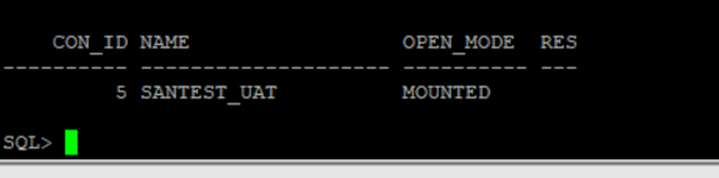
Verify on the target CDB:
SELECT con_id,
       name,
       open_mode,
       restricted
FROM   v$pdbs
WHERE  name = 'SANTEST_UAT';

The Gotcha — Source Must Be in READ ONLY or READ WRITE With Archivelog
Remote cloning from a source PDB that is open in READ WRITE mode requires the source CDB to be in ARCHIVELOG mode. Oracle uses archived redo logs to maintain consistency of the clone while the source continues taking writes during the file transfer. If the source CDB is in NOARCHIVELOG mode, the remote clone will fail.
Check archivelog mode on the source before attempting a remote clone:
-- Run on SOURCE CDB
SELECT log_mode
FROM   v$database;

If log_mode returns NOARCHIVELOG, the source PDB must be placed in READ ONLY mode before the remote clone can proceed:
-- On SOURCE CDB — switch source PDB to READ ONLY before cloning
ALTER PLUGGABLE DATABASE santest CLOSE;
ALTER PLUGGABLE DATABASE santest OPEN READ ONLY;
Then run the clone command on the target, and after the clone completes, reopen the source in READ WRITE:
-- On SOURCE CDB — return to READ WRITE after clone completes
ALTER PLUGGABLE DATABASE santest CLOSE;
ALTER PLUGGABLE DATABASE santest OPEN;
Post-Clone Housekeeping
After any clone — local or remote — two things need attention before the cloned PDB is handed to the team:
1. Reset Passwords and DB Links in the Clone
The clone is an exact copy of the source, including all user accounts and database links. Any DB links in the source that point to production systems are now live in the clone. We audit and disable them immediately:
-- Connect into the cloned PDB
ALTER SESSION SET CONTAINER = santest;

SELECT owner,
       db_link,
       username,
       host
FROM   dba_db_links
ORDER  BY owner;
Drop any links that point to production from the clone environment:
-- Drop production-pointing DB links in the clone
DROP PUBLIC DATABASE LINK src_cdb_link;
2. Verify Datafiles Are in the Correct Location
Confirm the cloned PDB’s datafiles landed where we intended and are not sharing paths with the source:
SELECT file#,
       name,
       con_id
FROM   v$datafile
WHERE  con_id = (
         SELECT con_id
         FROM   v$pdbs
         WHERE  name = 'SANTEST_CLONE'
       )
ORDER  BY file#;
The Gotchas — Summary
| Gotcha | Scenario | What to Do |
|---|---|---|
| Redo spike on source | Local clone under write load | Clone during low-write window |
| Source must be READ ONLY or ARCHIVELOG active | Remote clone on NOARCHIVELOG source | Switch source to READ ONLY before cloning |
| Production DB links live in clone | All clones | Audit and drop dba_db_links immediately post-clone |
| FILE_NAME_CONVERT mismatch | Wrong path mapping | Verify source datafile paths before running clone DDL |
| Clone in RESTRICTED mode after open | Incomplete post-clone steps | Check restricted column in v$pdbs and resolve |
Where We Go From Here
This post covered the operational reality of PDB cloning in production — local and remote, with the specific failure modes that only show up under load or on NOARCHIVELOG source CDBs.
If you have hit clone failures or unexpected source PDB behavior during a clone window — drop it in the comments. The redo spike scenario in particular tends to surprise teams that have only ever cloned on idle development instances.
- Managing PDB Resources: CPU and Memory Isolation Done Right
- How to Drop a Pluggable Database Including Datafiles in Oracle 19c
- Resolving Pluggable Database (PDB) Opening in RESTRICTED MODE (ORA-65177) in Oracle 19c
- Oracle 23ai — Why Oracle Calls It The AI Database
- Oracle Vector Search: Your First Hands-On Walkthrough
2 thoughts on “PDB Cloning in Production: Gotchas Nobody Warns You About”