
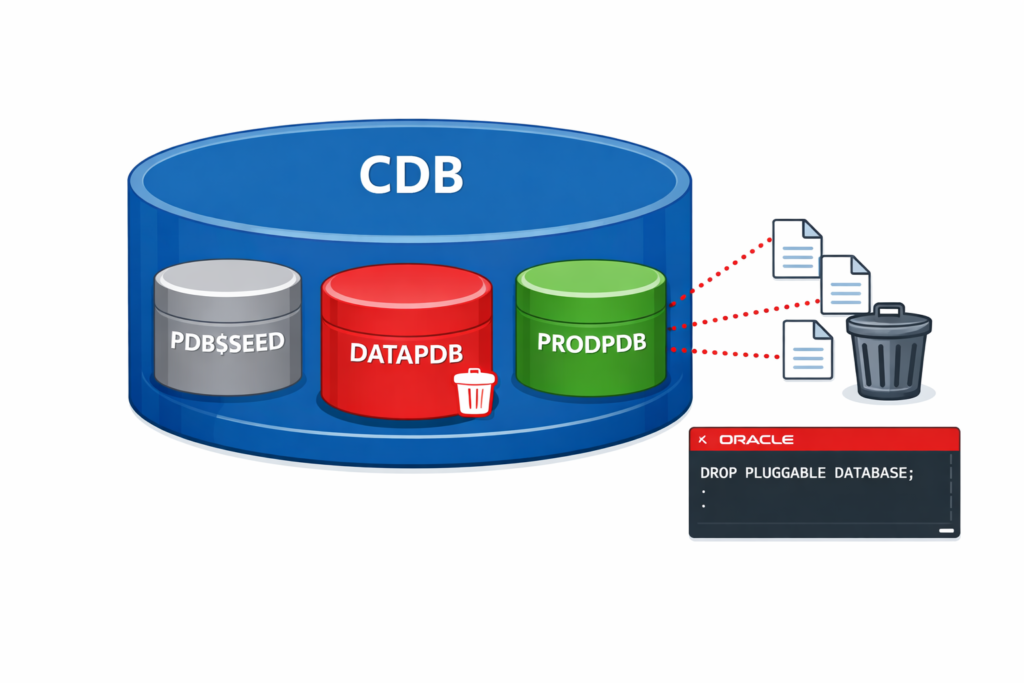
Last month, I needed to decommission a development PDB that was consuming valuable storage on our production CDB. The challenge? Ensuring all datafiles were completely removed without affecting other PDBs in the container.
If you’ve ever hesitated before dropping a PDB—worried about orphaned datafiles or accidentally keeping files you meant to delete—this guide walks you through the exact process with verification at every step.
The Problem: Dropping a PDB Safely
When you drop a pluggable database, Oracle gives you two choices:
- Keep the datafiles (default behavior – files remain on disk)
- Delete the datafiles (complete removal)
Most DBAs want the second option but often forget the INCLUDING DATAFILES clause, leading to wasted storage and manual cleanup later.
Prerequisites Before You Start
Before dropping any PDB, verify these requirements:
-- Connect to CDB root
sqlplus / as sysdba

-- Check current container
SHOW CON_NAME;
-- Should show: CDB$ROOT

-- Verify PDB exists
SELECT p.name, d.status, p.open_mode FROM v$pdbs p, dba_pdbs d
WHERE p.con_id = d.con_id;
Expected Output:
PDB_NAME    STATUS    OPEN_MODE
----------- --------- ----------
PDB$SEED    NORMAL    READ ONLY
DATAPDB     NORMAL    READ WRITE
Step-by-Step: Dropping PDB with Datafiles
Step 1: Check PDB Status and Location
First, identify the datafiles associated with your PDB:
-- View PDB datafile locations
SELECT con_id, name FROM v$datafile WHERE con_id IN
  (SELECT con_id FROM v$pdbs WHERE name = 'DATAPDB');
Sample Output:
CON_ID  NAME
------  ------------------------------------------------
3       /u01/app/oracle/oradata/DBACDB/DATAPDB/system01.dbf
3       /u01/app/oracle/oradata/DBACDB/DATAPDB/sysaux01.dbf
3       /u01/app/oracle/oradata/DBACDB/DATAPDB/users01.dbf
Note these paths—we’ll verify they’re deleted later.
Step 2: Close the PDB
The PDB must be closed before dropping:
-- Close PDB immediately
ALTER PLUGGABLE DATABASE datapdb CLOSE IMMEDIATE;

-- Verify it's closed
SELECT name, open_mode FROM v$pdbs WHERE name = 'DATAPDB';
Expected Output:
NAME        OPEN_MODE
----------- ---------
DATAPDB     MOUNTED
Important: If you see READ WRITE or READ ONLY, the close command didn’t work. Check for active sessions.
Step 3: Check for Active Sessions (Critical!)
Before dropping, ensure no sessions are connected:
-- Check active sessions in the PDB
SELECT s.sid, s.serial#, s.username, s.program, s.status
FROM v$session s
WHERE s.con_id = (SELECT con_id FROM v$pdbs WHERE name = 'DATAPDB');
If sessions exist, terminate them:
-- Kill specific session
ALTER SYSTEM KILL SESSION 'sid,serial#' IMMEDIATE;
Step 4: Drop PDB Including Datafiles
Now execute the drop command:
-- Drop PDB and remove all datafiles
DROP PLUGGABLE DATABASE datapdb INCLUDING DATAFILES;
What This Does:
- Removes PDB from the CDB
- Deletes all datafiles from OS
- Removes temp files
- Cleans up controlfile entries
- Removes data dictionary entries
Execution Time: Typically 10-30 seconds depending on PDB size.
Step 5: Verify Complete Removal
Confirm the PDB is gone from the database:
-- Check PDB list (should not show DATAPDB)
SELECT pdb_name FROM dba_pdbs;

-- Verify no datafiles remain in v$datafile
SELECT name FROM v$datafile WHERE name LIKE '%DATAPDB%';
-- Should return no rows
Check the operating system level:
# Verify datafiles are deleted from OS
ls -la /u01/app/oracle/oradata/DBACDB/DATAPDB/
# Should show: No such file or directory
Common Errors and Solutions
Error: ORA-65020: Pluggable database is not closed
Cause: PDB is still open
Solution:
ALTER PLUGGABLE DATABASE datapdb CLOSE IMMEDIATE;
-- Then retry DROP command
Error: ORA-65179: Cannot keep datafiles for a pluggable database
Cause: You used KEEP DATAFILES instead of INCLUDING DATAFILES
Solution: Use the correct syntax:
DROP PLUGGABLE DATABASE datapdb INCLUDING DATAFILES;
Error: ORA-65266: Cannot drop a pluggable database that has been opened
Cause: PDB was opened after you attempted to close it
Solution:
-- Force close and retry
ALTER PLUGGABLE DATABASE datapdb CLOSE ABORT;
DROP PLUGGABLE DATABASE datapdb INCLUDING DATAFILES;
Warning: Insufficient Privileges
If you get privilege errors:
-- Verify you're connected to CDB root
SHOW CON_NAME;

-- Check your privileges
SELECT * FROM session_privs WHERE privilege LIKE '%DROP%';
You need DROP ANY DIRECTORY and DROP PLUGGABLE DATABASE privileges.
Alternative: Dropping PDB but Keeping Datafiles
If you want to preserve datafiles for backup or analysis:
-- Close the PDB
ALTER PLUGGABLE DATABASE datapdb CLOSE IMMEDIATE;

-- Drop but keep files
DROP PLUGGABLE DATABASE datapdb KEEP DATAFILES;
Use Case: When you want to unplug the PDB later or manually archive datafiles.
Best Practices for Production Environments
1. Always Take a Backup First
-- Full PDB backup before dropping
rman target /
RMAN> BACKUP PLUGGABLE DATABASE datapdb;
2. Document the Drop Operation
Create a change log entry:
# Document in your change management system
Date: 2026-01-19
CDB: dbacdb on dbhost01
PDB: datapdb
Action: Dropped including datafiles
Reason: Development environment decommissioned
Backup: /backup/datapdb_final_backup_20260119.rman
3. Verify Listener Configuration
After dropping, ensure the listener doesn’t have stale entries:
lsnrctl status
# Look for any DATAPDB references
4. Check Alert Log
Review the alert log for any warnings:
tail -100 /u01/app/oracle/diag/rdbms/dbacdb/DBACDB/trace/alert_DBACDB.log | grep -i datapdb
Expected entries:
DROP PLUGGABLE DATABASE datapdb INCLUDING DATAFILES
Completed: DROP PLUGGABLE DATABASE datapdb INCLUDING DATAFILES
Quick Reference Commands
Here’s your cheat sheet for dropping PDBs:
-- 1. Connect to CDB root
sqlplus / as sysdba

-- 2. Check PDB status
SELECT name, open_mode FROM v$pdbs;

-- 3. Close PDB
ALTER PLUGGABLE DATABASE datapdb CLOSE IMMEDIATE;

-- 4. Drop with datafiles
DROP PLUGGABLE DATABASE datapdb INCLUDING DATAFILES;

-- 5. Verify removal
SELECT pdb_name FROM dba_pdbs;
Storage Reclamation After Drop
After dropping the PDB, verify storage is freed:
# Check filesystem space on dbhost01
df -h /u01

# Before drop: 85% used
# After drop: 72% used (example)
If space isn’t immediately reclaimed, check for:
- Archive logs referencing the PDB
- RMAN backups still holding space
- Temp files that weren’t cleaned up
When to Use This vs. UNPLUG
Use DROP INCLUDING DATAFILES when:
- Permanently decommissioning a PDB
- No need to preserve the data
- Want complete cleanup in one operation
Use UNPLUG instead when:
- Moving PDB to another CDB
- Creating a template for cloning
- Need to preserve PDB for future use
Conclusion
Dropping a pluggable database including datafiles is straightforward when you follow the proper sequence: verify status, close the PDB, check for active sessions, execute the drop command, and verify complete removal.
The key is using INCLUDING DATAFILES to ensure Oracle removes all physical files. Without this clause, you’ll have orphaned datafiles consuming storage that require manual cleanup.
Remember: Always backup before dropping, verify in both database and OS, and document the operation for your change management records.
Have you encountered issues dropping PDBs? Share your experience in the comments below!
4 thoughts on “How to Drop a Pluggable Database Including Datafiles in Oracle 19c”