PostgreSQL’s interactive terminal, psql, is an incredibly powerful tool for managing databases and executing queries. In this blog, we’ll discuss how to measure query execution time using “timing” and fetch all rows of a query result without paging using “\pset pager off”`. Let’s dive in step-by-step.
When optimizing your SQL queries, it’s crucial to measure their execution time to understand their performance. Enabling timing in psql lets you see how long a query takes to execute.
Why Turn Off the Pager?
By default, psql uses a pager (like less) to display query results when the output spans multiple rows or exceeds the screen size. This requires user interaction to scroll through the data. If you want to avoid paging and fetch all rows instantly, you can turn off the pager using \pset pager off.
Steps to Enable Timing and Fetch Rows Without Paging
Follow these steps to configure psql for an optimal query experience:
1. Launch PSQL
First, connect to your PostgreSQL database using the psql command. Open your terminal and run:
psql -U your_username -d your_database
Replace your_username and your_database with your actual PostgreSQL username and database name.
2. Enable Timing
To enable query timing, run the following command inside the psql session:
\timing
This will toggle the timing feature ON, and you will see the message:
Timing is on.
Now, every SQL query you execute will display its execution time.
3. Turn Off the Pager
To fetch all rows without paging, disable the pager by executing:
\pset pager off
This ensures that query results are displayed directly in the terminal without requiring scrolling or user interaction.
You will see a confirmation message like:
Pager usage is off.
Controlling the psql Pager — All the Options
The \pset pager off command works great inside a session, but here’s what catches most of us — it resets the moment we disconnect. Every new psql session, we’re back to scrolling through less again. Let’s fix that permanently.
Method 1: The PAGER Environment Variable
We can override the pager behavior at the OS level before even launching psql:
bash
# Disable the pager entirely
export PAGER=''

# Or use cat instead of less (same effect — no paging)
export PAGER='cat'

# Now launch psql
psql -U postgres -d mydb
This tells psql: “Don’t use less, don’t use more — just dump everything straight to the terminal.”
Method 2: The .psqlrc File (Permanent Fix)
This is what we run in production. Create or edit ~/.psqlrc and add:
\pset pager off
\timing on
Every psql session from this user account will now start with the pager disabled and timing enabled. No manual intervention. No forgetting.
Verify it’s working:
$ psql -U postgres -d mydb
Timing is on.
Pager usage is off.
mydb=#
Both settings confirmed automatically at login. That’s our .psqlrc doing its job.
Method 3: The PSQL_PAGER Variable (PostgreSQL 11+)
Starting from PostgreSQL 11, there’s a dedicated PSQL_PAGER environment variable that overrides PAGER only for psql — without affecting other tools like git log or man:
bash
export PSQL_PAGER=''
This is the cleanest option when we share the same shell profile across multiple tools and don’t want to break paging for everything else.
Quick comparison:
Variable
Scope
Affects Other Tools?
PostgreSQL Version
\pset pager
Current session
No
All
PAGER
All shell programs
Yes
All
PSQL_PAGER
psql only
No
11+
.psqlrc
All psql sessions
No
All
4. Execute a Query
Now, run your SQL queries to see the results along with their execution time. For example:
select * from employees;
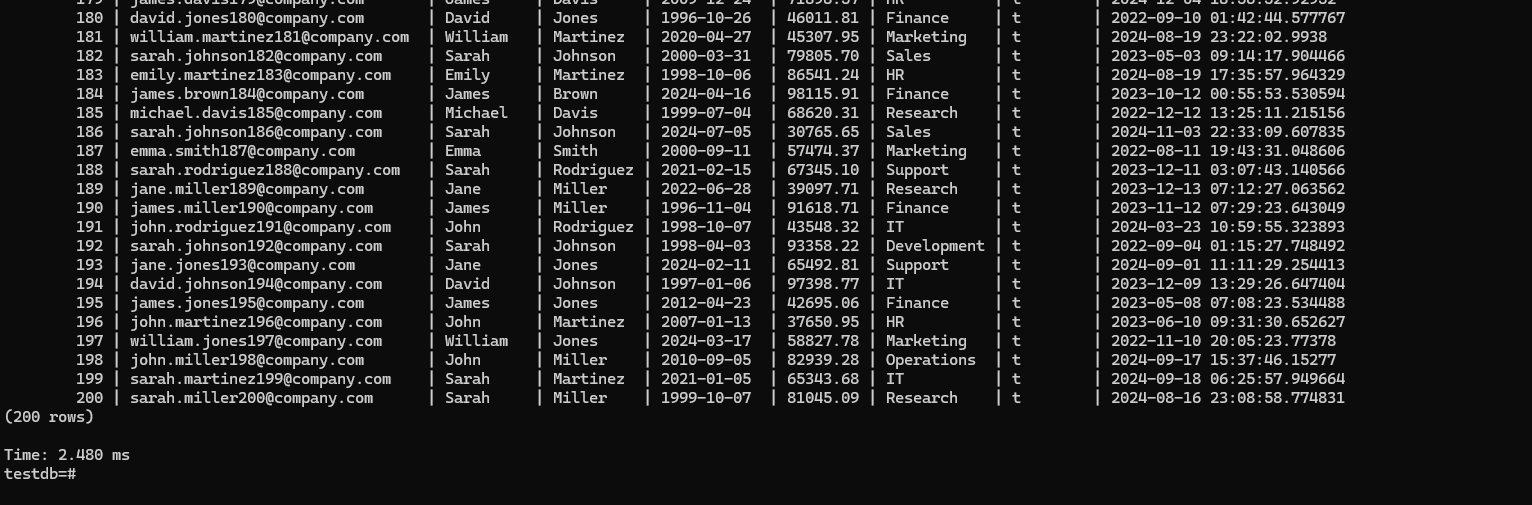
If the table contains many rows, all rows will be displayed without paging, and the timing will show the query execution time at the end of the result.
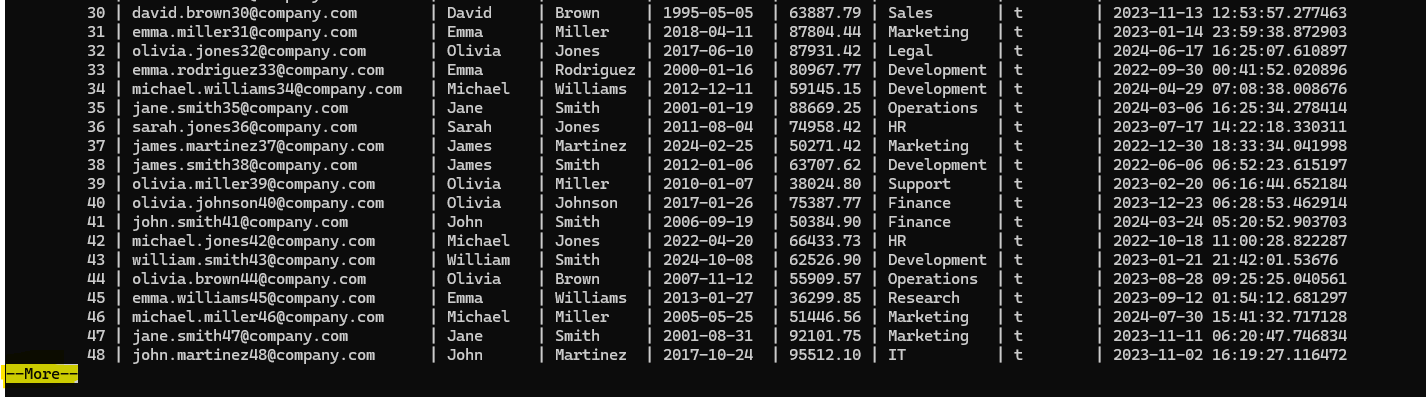
If pager will not be off, it will show result in pages and need your intervention to move next page.
a
Conclusion
Using \timing and \pset pager off in psql allows you to measure query performance and view results seamlessly. These simple yet powerful commands can significantly enhance your workflow when working with PostgreSQL. Give them a try, and let us know how they work for you!
Frequently Asked Questions
How do I disable the pager in psql?
Run \pset pager off inside your psql session. This takes effect immediately — all subsequent query output will print directly to the terminal without requiring scrolling. The setting lasts until you disconnect.
How do I permanently disable the psql pager?
Add \pset pager off to your ~/.psqlrc file. This file is executed automatically every time psql starts. Alternatively, set export PSQL_PAGER='' in your ~/.bashrc or ~/.bash_profile — this persists across all sessions without needing a .psqlrc file.
Does disabling the pager affect performance?
No. The pager is a display-layer feature — it controls how output is rendered in the terminal, not how PostgreSQL executes queries. Disabling it has zero impact on query performance. The only consideration: if a query returns millions of rows, the terminal buffer will fill up faster without a pager. For large result sets, consider using LIMIT or redirecting output to a file with \o /tmp/output.txt.
What’s the difference between PAGER and PSQL_PAGER?
PAGER is a general Linux environment variable used by many tools (less, man, git). Setting it to empty disables paging everywhere. PSQL_PAGER (available from PostgreSQL 11 onwards) overrides PAGER only for psql sessions, leaving other tools unaffected. When both are set, PSQL_PAGER takes priority for psql.
We use cookies on our website to give you the most relevant experience by remembering your preferences and repeat visits. By clicking “Accept All”, you consent to the use of ALL the cookies. However, you may visit "Cookie Settings" to provide a controlled consent.
This website uses cookies to improve your experience while you navigate through the website. Out of these, the cookies that are categorized as necessary are stored on your browser as they are essential for the working of basic functionalities of the website. We also use third-party cookies that help us analyze and understand how you use this website. These cookies will be stored in your browser only with your consent. You also have the option to opt-out of these cookies. But opting out of some of these cookies may affect your browsing experience.
Necessary cookies are absolutely essential for the website to function properly. These cookies ensure basic functionalities and security features of the website, anonymously.
Cookie
Duration
Description
cookielawinfo-checkbox-analytics
11 months
This cookie is set by GDPR Cookie Consent plugin. The cookie is used to store the user consent for the cookies in the category "Analytics".
cookielawinfo-checkbox-functional
11 months
The cookie is set by GDPR cookie consent to record the user consent for the cookies in the category "Functional".
cookielawinfo-checkbox-necessary
11 months
This cookie is set by GDPR Cookie Consent plugin. The cookies is used to store the user consent for the cookies in the category "Necessary".
cookielawinfo-checkbox-others
11 months
This cookie is set by GDPR Cookie Consent plugin. The cookie is used to store the user consent for the cookies in the category "Other.
cookielawinfo-checkbox-performance
11 months
This cookie is set by GDPR Cookie Consent plugin. The cookie is used to store the user consent for the cookies in the category "Performance".
viewed_cookie_policy
11 months
The cookie is set by the GDPR Cookie Consent plugin and is used to store whether or not user has consented to the use of cookies. It does not store any personal data.
Functional cookies help to perform certain functionalities like sharing the content of the website on social media platforms, collect feedbacks, and other third-party features.
Performance cookies are used to understand and analyze the key performance indexes of the website which helps in delivering a better user experience for the visitors.
Analytical cookies are used to understand how visitors interact with the website. These cookies help provide information on metrics the number of visitors, bounce rate, traffic source, etc.
Advertisement cookies are used to provide visitors with relevant ads and marketing campaigns. These cookies track visitors across websites and collect information to provide customized ads.