
Introduction
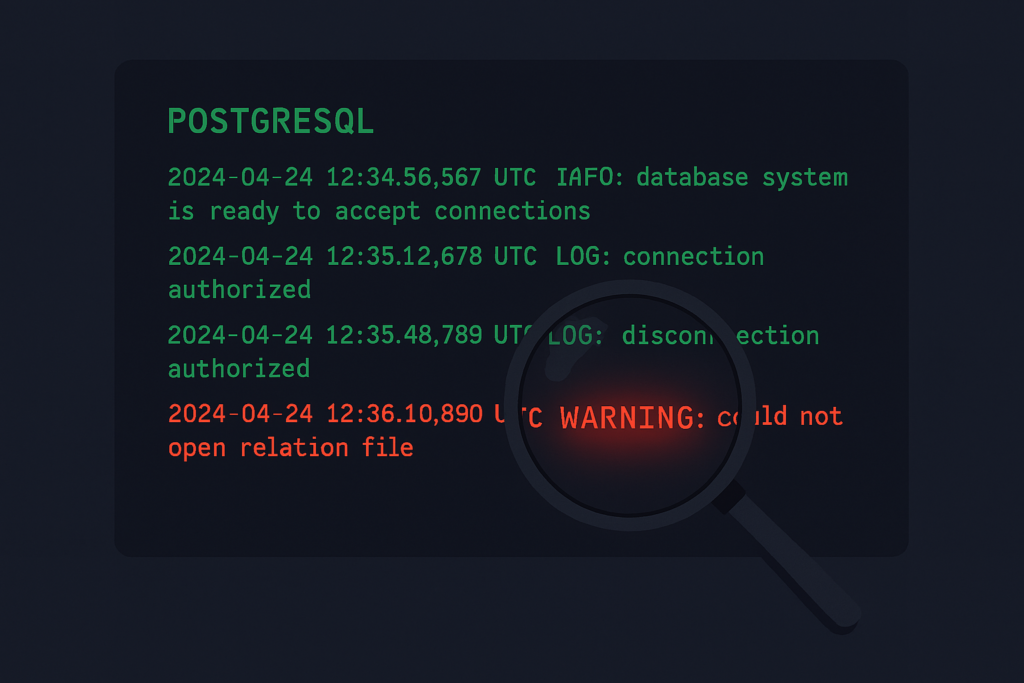
When PostgreSQL logs show “configuration file contains errors” after a pg_reload_conf(), most DBAs immediately fear the worst.
We were in the middle of a PostgreSQL performance tuning exercise — sequential scan audit, memory configuration review, the usual production DBA drill. After carefully calculating safe values for random_page_cost, effective_cache_size, work_mem, and wal_buffers, we fired off our ALTER SYSTEM commands and ran pg_reload_conf().
Then this appeared in the logs:
2026-04-16 17:22:32.727 UTC [1188] LOG: configuration file
"/var/lib/pgsql/16/data/postgresql.auto.conf" contains errors;
unaffected changes were applied
Configuration file contains errors.
That phrase stops any DBA cold. Did we corrupt the config? Did something fail silently? Are our performance changes actually applied? Let us walk through exactly how we investigated this — and what we found.
The Immediate Reaction — What We Checked First
Our first instinct was to look at postgresql.auto.conf directly:
bash
cat /var/lib/pgsql/16/data/postgresql.auto.confAll parameters looked syntactically correct. No missing quotes, no duplicate entries, no garbage characters. The file looked clean.
Next we searched the PostgreSQL log for more context:
bash
grep -i "error\|invalid\|unrecognized" \
  /var/lib/pgsql/16/data/pg_log/postgresql-2026-04-16.log | tail -20
The log confirmed the same generic message — no additional detail. At this point we needed a smarter approach.
The One Query That Reveals Everything
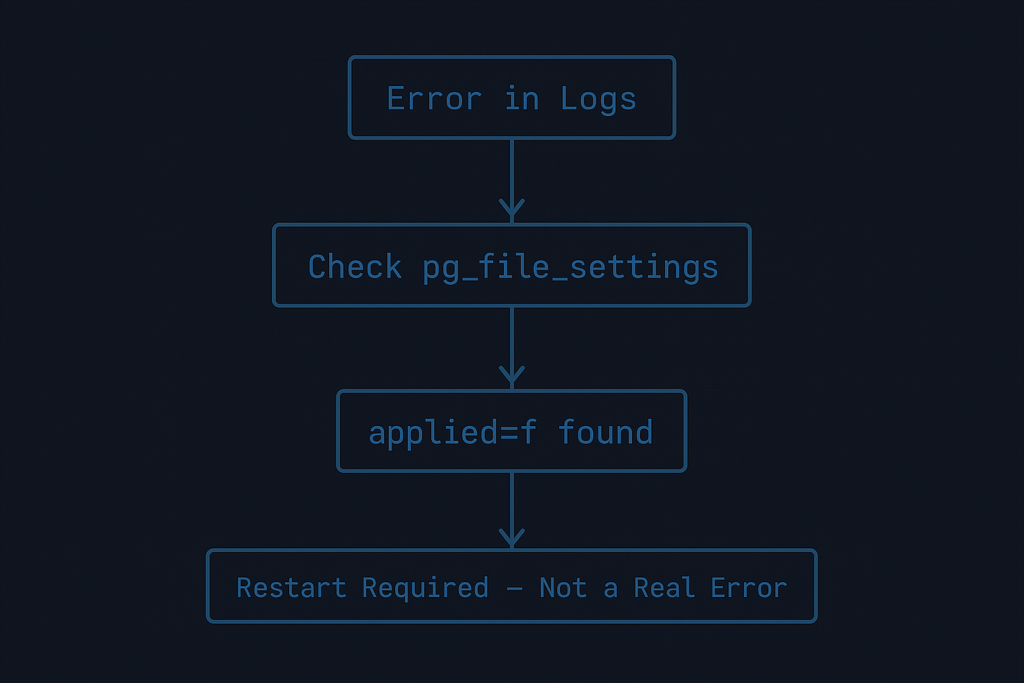
PostgreSQL ships with a system view that most DBAs overlook: pg_file_settings. Unlike pg_settings which shows current runtime values, pg_file_settings shows what is in your configuration files — and critically, whether each parameter was actually applied.
sql
SELECT * FROM pg_file_settings
WHERE error IS NOT NULL;
Output:
sourcefile                                    | sourceline | name        | setting | applied | error
----------------------------------------------+------------+-------------+---------+---------+------------------------------
/var/lib/pgsql/16/data/postgresql.auto.conf  |          7 | wal_buffers | 64MB    | f       | setting could not be applied
There it is. One row. One parameter. applied = f with the error setting could not be applied.
This is our culprit — and it is not what it looks like.
Once we confirmed “configuration file contains errors” was simply a pending restart — not a genuine config problem — the fix was clear.
What Is Actually Happening — The Real Explanation
wal_buffers is a postmaster context parameter in PostgreSQL. This means it can only take effect when the PostgreSQL service itself starts — not during a live reload.
Let us confirm this directly:
sql
SELECT name, setting, unit, context
FROM pg_settings
WHERE name = 'wal_buffers';
name | setting | unit | context
------------+---------+------+-----------
wal_buffers | 2048 | 8kB | postmastercontext = postmaster — restart required, no exceptions.
When we ran pg_reload_conf(), PostgreSQL tried to apply all parameters in postgresql.auto.conf. It successfully applied five of them. But wal_buffers — being a postmaster parameter — simply could not be changed on a live running instance. PostgreSQL marked it applied = f and logged the generic “contains errors” message.
The misleading part? PostgreSQL uses the same log message for:
- A genuine syntax error in the config file
- A parameter that simply needs a restart to apply
Two very different situations. One scary-sounding log line.
Verify All Other Parameters Applied Cleanly
Run this to see the full picture of your postgresql.auto.conf:
sql
SELECT name, setting, applied, error
FROM pg_file_settings
WHERE sourcefile LIKE '%postgresql.auto.conf%'
ORDER BY applied;
In our case:
name                  | setting | applied | error
----------------------+---------+---------+-------------------------------
wal_buffers           | 64MB    | f       | setting could not be applied
random_page_cost      | 1.5     | t       |
effective_cache_size  | 10GB    | t       |
work_mem              | 16MB    | t       |
maintenance_work_mem  | 512MB   | t       |
autovacuum_work_mem   | 256MB   | t       |
Five parameters applied cleanly. One pending restart. Nothing is broken.
PostgreSQL Parameter Contexts — A Quick Reference
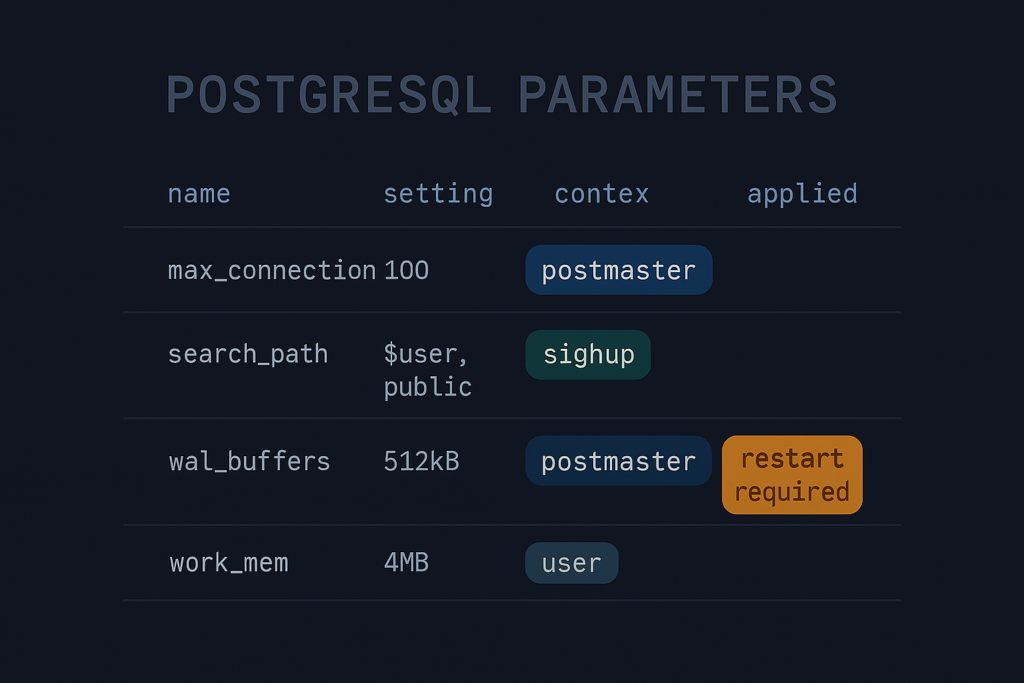
Understanding parameter contexts saves future troubleshooting time:
| Context | How to Apply | Common Parameters |
|---|---|---|
postmaster | Full service restart | shared_buffers, wal_buffers, max_connections |
sighup | pg_reload_conf() | effective_cache_size, work_mem, random_page_cost |
superuser | SET command or reload | Various |
user | Session-level SET | work_mem, search_path |
Always check the context before expecting a reload to work:
sql
SELECT name, context
FROM pg_settings
WHERE name IN (
    'wal_buffers',
    'shared_buffers',
    'effective_cache_size',
    'work_mem',
    'random_page_cost'
);
Resolution — Plan a Maintenance Window
Since everything except wal_buffers is already applied and working, the fix is simple:
bash
# Schedule a maintenance window and restart
sudo systemctl restart postgresql-16

# After restart, verify zero errors remain
psql -c "SELECT * FROM pg_file_settings WHERE error IS NOT NULL;"
Expected output after restart:
(0 rows)Clean. Done.
The Lesson — pg_file_settings Is Your Friend
Before this investigation, our first instinct on a config file error was to manually scan postgresql.auto.conf line by line. That is the slow path.
The fast path is always:
sql
SELECT * FROM pg_file_settings WHERE error IS NOT NULL;This single query tells you:
- Which file has the problem
- Which line number
- Which parameter
- Whether it was applied
- The exact error reason
Bookmark it. It belongs in every DBA troubleshooting toolkit alongside pg_stat_activity, pg_stat_user_tables, and pg_locks.
Quick Reference — Troubleshooting Config Errors
sql
-- 1. Find exact errors in config files
SELECT * FROM pg_file_settings WHERE error IS NOT NULL;

-- 2. See full application status of auto.conf
SELECT name, setting, applied, error
FROM pg_file_settings
WHERE sourcefile LIKE '%postgresql.auto.conf%';

-- 3. Confirm parameter context (restart vs reload)
SELECT name, context, setting
FROM pg_settings
WHERE name = 'your_parameter_name';

-- 4. After restart — confirm zero pending errors
SELECT * FROM pg_file_settings WHERE error IS NOT NULL;
Wrapping Up
A “configuration file contains errors” message in PostgreSQL logs is alarming on first read. But as we saw today, it does not always mean something is genuinely wrong. It can simply mean a postmaster-level parameter is waiting patiently for the next restart.
The key takeaway: always investigate with pg_file_settings before assuming the worst. One query, clear answers, no guesswork.
In production environments, this distinction matters — the difference between triggering an emergency fix and calmly scheduling a maintenance window.
What’s Next
This investigation was part of a broader PostgreSQL performance tuning exercise covering:
- Sequential scan audit using
pg_stat_user_tables - Index creation strategy for high-traffic tables
- Memory configuration optimisation across Dev, Lower Env, and Production
Stay tuned — each of these is coming to dbadataverse.com as a detailed DBA-to-DBA walkthrough.
Tested on: PostgreSQL 16 | OS: RHEL / CentOS | Configuration via ALTER SYSTEM and pg_reload_conf()