
Every organization running an Oracle production database has a backup. Not every organization has a backup strategy.
That distinction sounds subtle. It is not. A backup is a scheduled job and a storage location. A strategy is a set of deliberate decisions — what to back up, how much of it, how fast it needs to come back, what device it lives on, and how we know it actually works. Most organization have the first. Very few have thought rigorously through the second.
Over two decades of managing Oracle production environments across industries, the pattern we see repeatedly is the same: RMAN configurations set up correctly for the database size and workload that existed at go-live, and never revisited as the environment grew and changed around them. We have seen full backup windows grow from 2 hours to over 6 hours after two years of unchecked data growth — and in one case, archivelog generation climb from 200GB per day to over 650GB per day as transaction volumes scaled. Nobody updated the backup strategy. By the time a recovery event occurred, the policy that looked adequate on paper failed to meet the committed RTO by a significant margin.
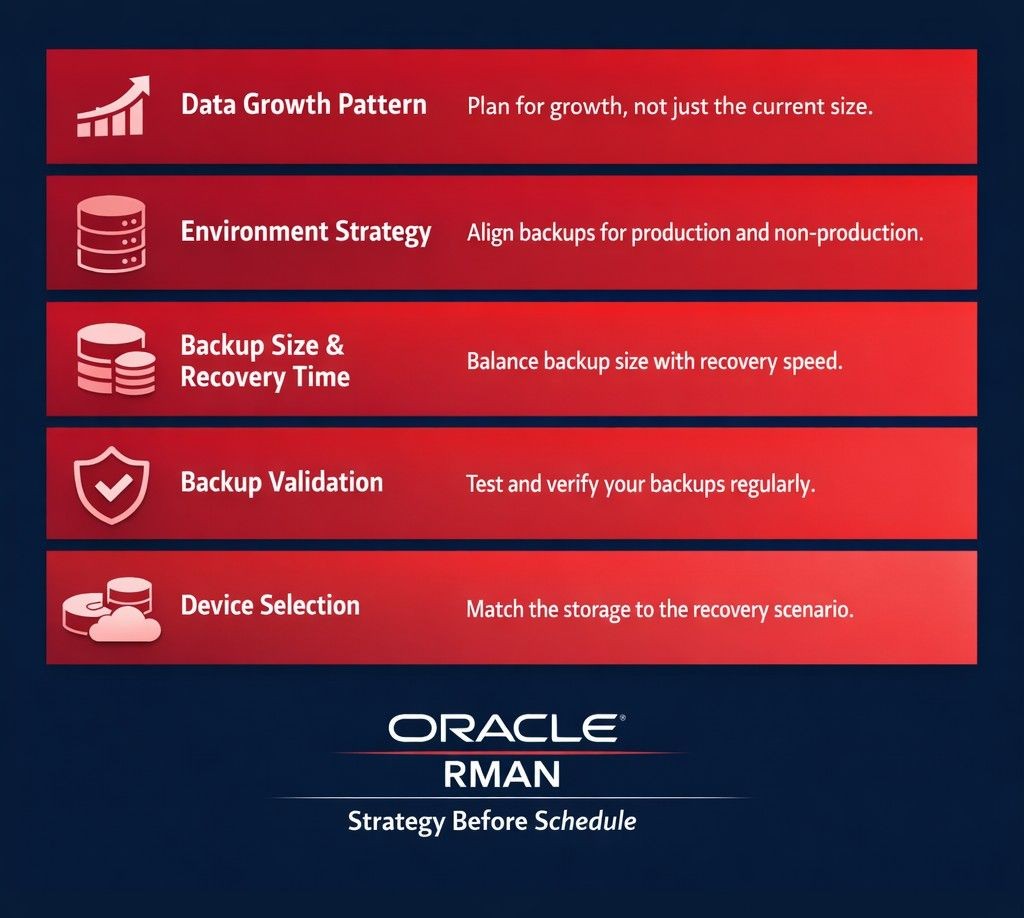
This post is about closing that gap before an incident closes it for you. Five considerations that should drive every Oracle database backup strategy, regardless of scale or industry.
1. Data Growth Pattern — The Factor Most Strategies Ignore
The most common starting point for an Oracle backup policy is the current database size. That is the wrong starting point.
The right starting point is the data growth trajectory. A database that is 2TB today but growing at 40% annually is a fundamentally different backup problem than a database that is 2TB and stable. The backup window, storage requirements, RMAN retention policy, and recovery time estimate all change as the database grows — and they change faster than most organisations plan for.
Many organisations treat data growth analysis as a database design concern only. What they miss is that data growth directly shapes the incremental backup strategy, the archivelog retention requirement, and the FRA provisioning. These decisions drift silently unless reviewed — and drift is what breaks recovery timelines.
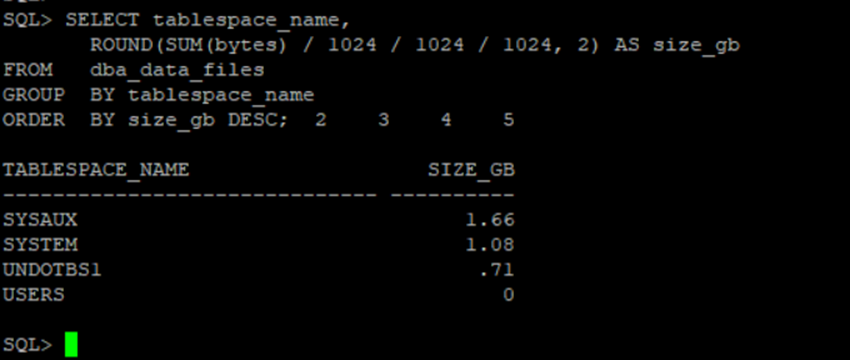
Start with tablespace-level visibility, not total database size:
-- Tablespace size — understand what is actually driving backup volume
SELECT tablespace_name,
       ROUND(SUM(bytes) / 1024 / 1024 / 1024, 2) AS size_gb
FROM   dba_data_files
GROUP  BY tablespace_name
ORDER  BY size_gb DESC;
Then track archivelog generation trend — this is the number that predicts FRA pressure and backup window growth before either becomes a crisis:
-- Archivelog generation per day — monitor weekly for trend
SELECT TRUNC(completion_time)          AS log_date,
       ROUND(SUM(blocks * block_size)
             / 1024 / 1024 / 1024, 2) AS gb_generated
FROM   v$archived_log
WHERE  standby_dest = 'NO'
GROUP  BY TRUNC(completion_time)
ORDER  BY log_date DESC;
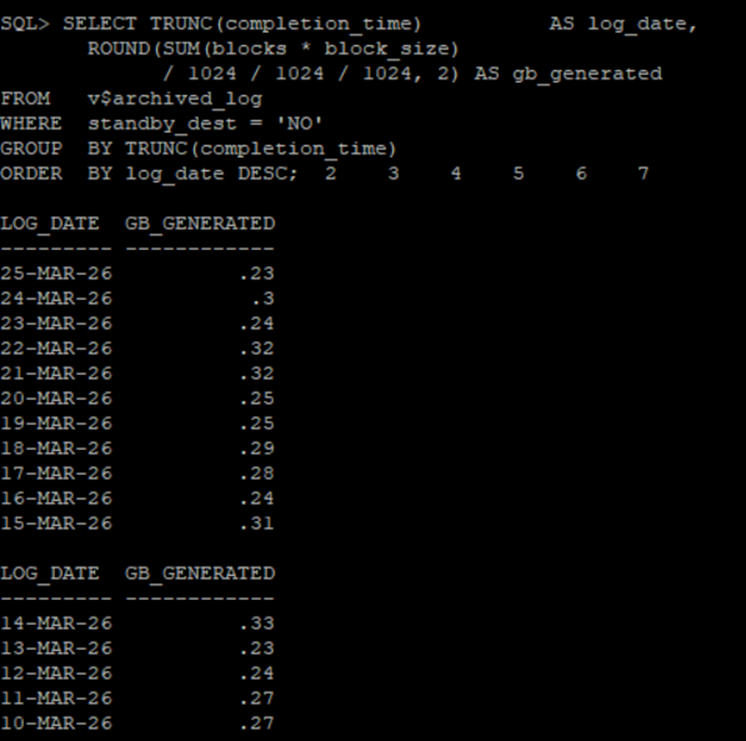
A rising archivelog generation trend that is not matched by an update to the RMAN archivelog deletion policy is a FRA pressure event waiting to happen. A full FRA does not just slow the backup — it halts the database. Archivelog volume is the leading indicator most teams ignore until it becomes an outage.
Equally important is alignment between the backup policy and the data purging and archival strategy. Backing up data that has already been archived is wasted backup window, wasted FRA space, and unnecessary complexity during recovery.
2. Environment Strategy — Production Is Not the Only Backup Problem
Most Oracle backup policies are written entirely from the perspective of the production database. Non-production environments — QA, UAT, pre-production, development — are treated as an afterthought. Refresh them from production when needed, and figure out the details later.
This creates two problems that surface at the worst possible times.
The first is operational. Lower environment refresh cycles are tied directly to the production backup strategy. The most reliable path to a non-production refresh is RMAN duplication from a production backup — but that requires the backup to be accessible, structurally complete, and recent enough to be useful. If the production backup strategy does not account for the refresh cadence that non-production teams depend on, those teams are either working with stale data or creating ad-hoc processes that bypass the backup infrastructure entirely.
The second is regulatory. GDPR and internal data classification policies place real constraints on what production data can be moved into lower environments. A backup strategy that does not account for data masking, anonymisation, or the purging of restricted records before lower environment creation is not a complete strategy — it is a compliance risk that the DBA team will eventually be asked to explain.
The most effective approach separates data into two categories before the backup policy is finalised. Live data — actively changing records with regulatory handling requirements — needs regular backup cycles and a defined non-production handling process. Static data — historical records that change rarely or never — can be handled with significantly reduced backup frequency after an initial baseline is established. This separation reduces backup size, reduces recovery time, and makes lower environment creation predictable and repeatable rather than a manual effort every sprint cycle.
3. Backup Size and Recovery Time — Optimise Both, Not Just One
There is a persistent tension in Oracle backup strategy between minimising backup size and minimising recovery time. Optimising for one without considering the other produces a policy that looks efficient on paper and performs poorly during an actual recovery event.
RMAN’s incremental backup architecture is the primary lever. A Level 0 full backup establishes the baseline. Level 1 incremental backups — cumulative or differential — capture only the blocks that have changed since the last backup. The choice between cumulative and differential incrementals is itself a strategy decision: cumulative incrementals produce larger daily backups but simpler recovery chains; differential incrementals produce smaller daily backups but require more pieces during recovery. We have seen recovery windows miss SLA because incremental chains were too long and the team did not account for the cumulative restore time under incident pressure.
Block change tracking eliminates the overhead of RMAN scanning unchanged blocks during incremental processing. On large Oracle databases with moderate daily change rates, this single configuration change reduces incremental backup time significantly without any change to the backup schedule or retention policy.
Compression is the other lever. Oracle RMAN offers basic compression at no additional licence cost, and advanced compression algorithms that can achieve 50 to 80 percent size reduction — but that range applies to standard OLTP data. Already-compressed data, encrypted columns, and Binary LOBs yield minimal compression gain regardless of algorithm. Understanding the data profile before committing to a compression tier prevents overestimating storage savings and underestimating CPU overhead during the backup window.
The Recovery Time Objective should be defined first — not as an aspirational number, but as a specific commitment tied to the business impact of downtime — and the RMAN configuration should be designed to meet it. A backup strategy that produces a highly compressed backup that takes six hours to restore is not a good strategy for a database with a two-hour RTO.
4. Backup Validation — The Step Most Teams Skip Until It Is Too Late
An Oracle backup that has never been successfully restored is a backup that may not work when it matters. Backup corruption, incomplete backup sets, missing archivelog sequences, and configuration drift between the production environment and the recovery target are all failure modes that only reveal themselves during a restoration attempt — which is precisely when the team has the least time and the most pressure.
Oracle RMAN provides two levels of validation that belong in every backup strategy.
Logical validation uses RMAN’s built-in verification capabilities to confirm that backup sets are complete, internally consistent, and physically accessible. This does not perform a full restore — it validates the backup pieces and cross-checks the RMAN catalog against what actually exists in the backup destination. Running this automatically after every backup cycle, with alerts on any failure, catches the majority of backup integrity problems before they become recovery problems.
Physical validation is periodic actual restoration to a test environment — verifying that the database opens cleanly, that application connectivity works, and that the restored state reflects what the business would actually need in a real recovery event. This is the only test that catches configuration drift, environmental differences between production and the recovery target, and the procedural gaps that accumulate when a restoration procedure has only ever existed on paper.
The frequency of physical validation should be proportional to the RTO commitment. If the business has committed to a four-hour RTO, the team should have executed a full physical restoration test within the last quarter — so that when the real event occurs, the procedure is known, the timings are measured, and no one is executing it under incident conditions for the first time.
5. Backup Device Selection — Match the Device to the Recovery Scenario
The choice of backup device is the decision that most directly determines recovery time under different Oracle failure scenarios. It is also the decision most commonly made by following market trends or matching peer organisations — rather than by analysing the actual recovery requirements of the environment.
Three device categories serve different Oracle recovery scenarios:
Disk-based storage — SSD or NAS — provides fast random access and is best suited for partial recovery scenarios: restoring a single tablespace, a datafile, or recovering from block corruption. These are also the most common failure modes in production Oracle environments.
Tape, accessed through Oracle’s SBT interface, provides high sequential throughput and is best suited for full database restoration at scale. The trade-off is higher recovery time for partial restores — tape requires sequential access, which is inefficient for retrieving a single datafile from a large backup set.
Cloud storage — OCI Object Storage or Oracle Secure Backup Cloud Module — serves primarily as an offsite protection layer. Recovery speed from cloud is constrained by network bandwidth, which makes it unsuitable as the primary recovery medium for time-sensitive RTO commitments, but well-suited as the geographic separation layer that protects against datacenter-level events.
| Device | Best Oracle Recovery Scenario | Limitation |
|---|---|---|
| Disk | Tablespace, datafile, block recovery | Limited offsite protection |
| Tape | Full database restore at scale | Slower partial recovery |
| Cloud | Offsite DR — geographic separation | Network-constrained recovery speed |
The most resilient Oracle backup architectures combine more than one device type. Primary backup to disk for fast partial recovery. Secondary copy to cloud or tape for full database disaster recovery at a separate physical location. Offsite placement is not optional for Oracle databases with serious availability requirements — a backup in the same physical location as the production system does not protect against datacenter-level failure. The device and the location are two separate decisions. Both must be made deliberately.
The Strategy Before the Schedule
An Oracle backup policy is not an RMAN script. It is the answer to five questions asked and answered in advance of any incident: how fast is the data growing and what does that mean for the backup window and FRA, what environments need to be served and under what regulatory constraints, how small and how fast does the backup need to be to meet the RTO, how do we know the backup actually works, and where does it live and on what device.
When those five questions have been answered deliberately — not defaulted — the RMAN configuration that follows is a strategy. Everything else is a schedule waiting to fail at the worst possible time.
A well-defined Oracle backup strategy reduces the cost of storage by eliminating redundant backup of static and archived data. It reduces recovery time by designing the backup structure around the actual recovery scenario. It reduces risk by making the restoration procedure known, tested, and repeatable before the pressure of a real incident is applied to it.
The organisations that get this right are not the ones with the largest backup infrastructure. They are the ones that asked the right questions before the incident asked them first.
About the Author
Sanjeeva Kumar is a Senior Oracle DBA and Associate Principal Engineer at Nagarro Software with over 20 years of experience managing Oracle production environments across industries. He writes at dbadataverse.com .
Recent posts :